
Woocommerce Paypal Payment Gateway Integration By Using Payment Plugins for PayPal WooCommerce

This is a very important topic for those running their own WordPress e-commerce stores, as well as for handling freelance customers. Today, we learn about PayPal payment gateway integration using “Payment Plugins for PayPal WooCommerce”. Before moving towards the next steps, first ensure to collect PayPal business API keys from the PayPal user or from the company.
What is a Payment Gateway?
It’s the only way to receive the payment online from any region of the world. Either the payment is about the e-commerce or for freelance projects.
PayPal API Keys:
In PayPal, keys need both the production client ID and the production secret key.

Login WordPress Dashboard:
Log in to your wordpress store by using “wp-admin” and put your username and password.

After this, your website login is successful.
WordPress Dashboard Plugins Area:
Now, click on the “plugins” section in wordpress dashboard and then “Add New” plugin. Just search for “Payment Plugins for PayPal WooCommerce” in the search box.
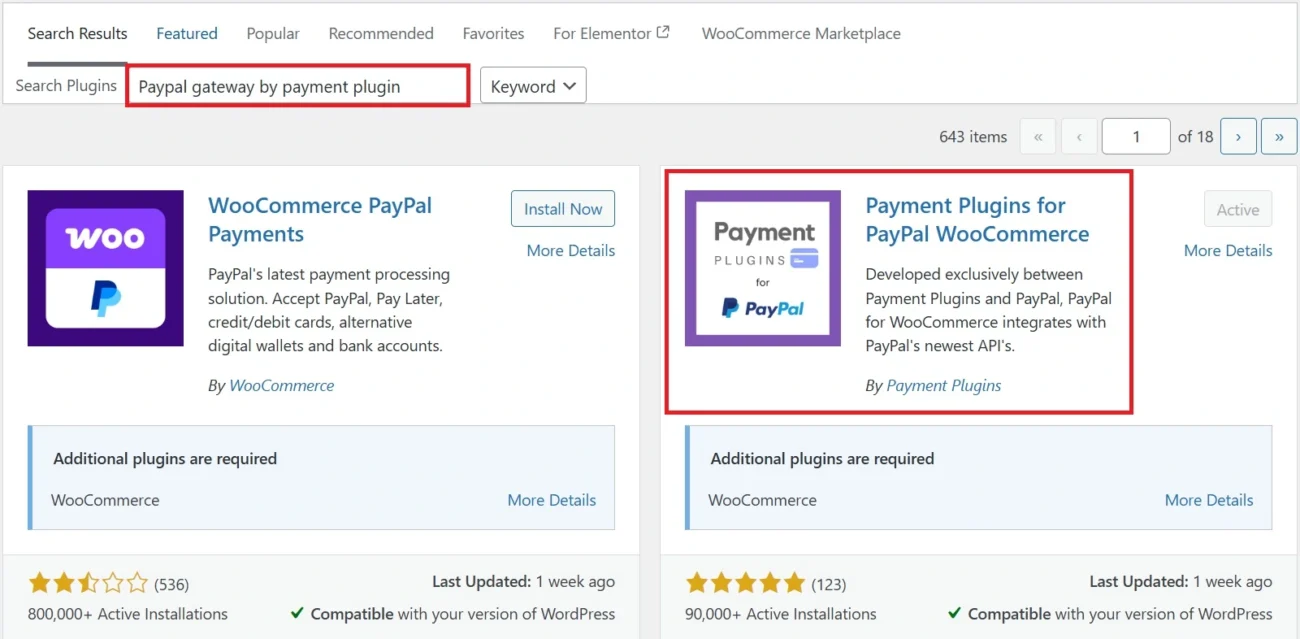
After completing the recommended search, click on “Install Now” and “Activate” the plugin.
Woocommerce Settings:
After the activation, go into the WooCommerce “settings” area. Then click on “Payments”. After clicking on the payments area, a plugin will show that has to be installed in the plugins area. Just click on the “Enable” button, and then the plugin will be activated. Next, click on the “Manage” button.
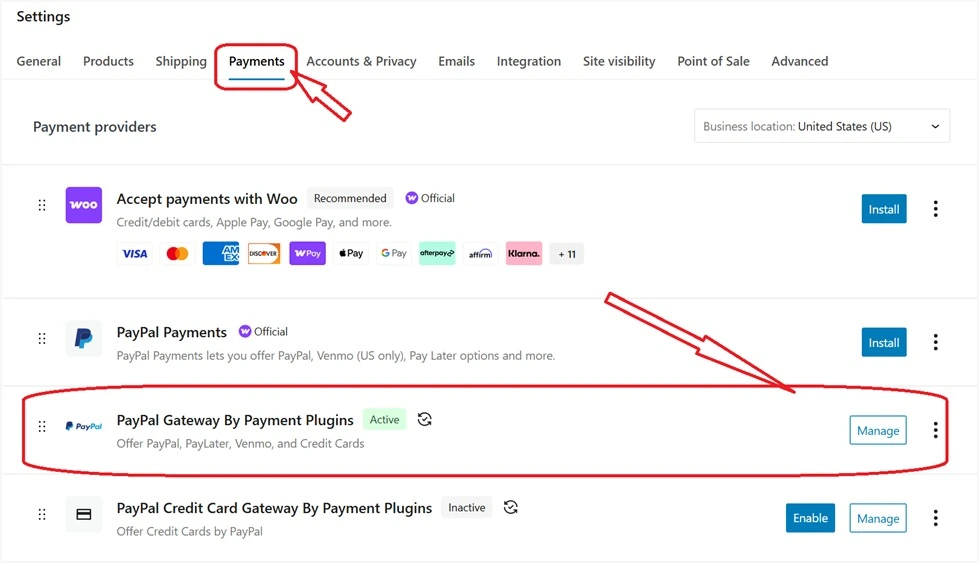
PayPal Payment Gateway API Integration Settings:
Now we have entered the main area where our gateway will be integrated successfully. Just align your client ID and secret key and paste them one by one in each field.
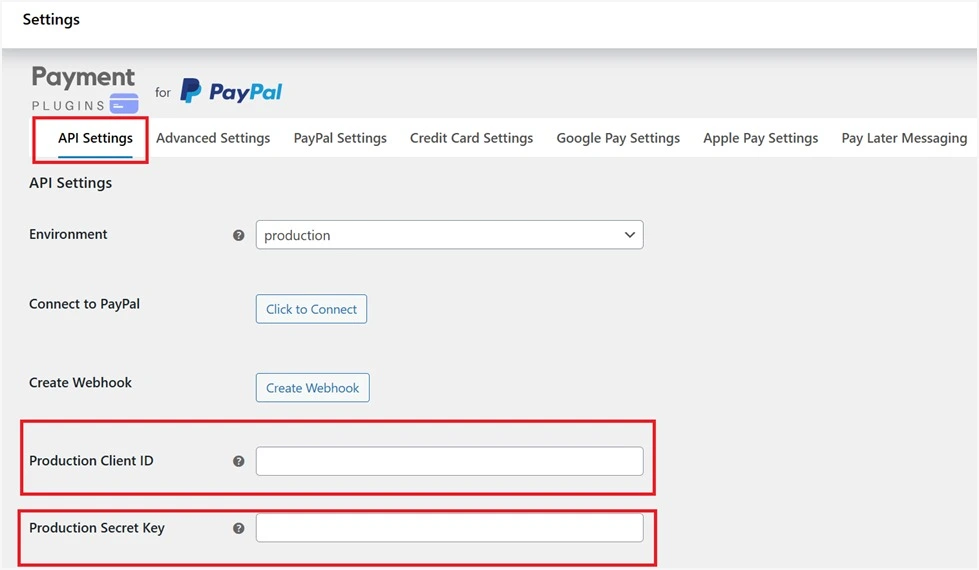
Save Changes:
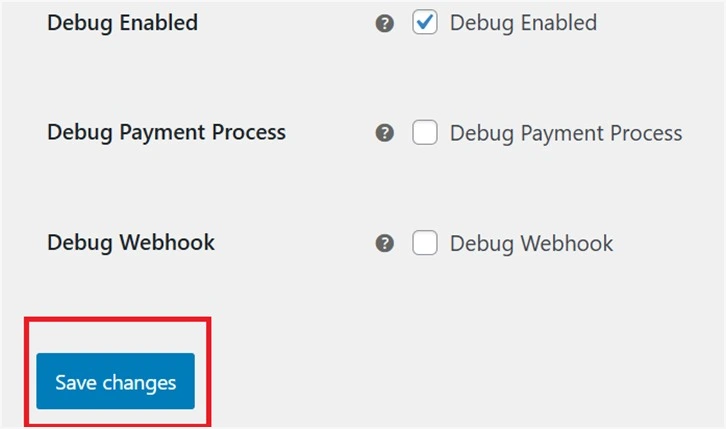
When the API keys are added in fields, then scroll down and click on the “Save changes” button.
Now just open your store in an incognito window, select any random product and then see in the checkout area whether your business PayPal gateway is activated or not for the final confirmation.
List of Best Online Payment Gateways:
- Paypal payment gateway
- Stripe payment gateway
This is a comprehensive guide for the readers who are facing problems regarding the PayPal payment gateway integration; also, we are publishing a YouTube video on our company (@realdigitalera) YouTube channel.
Real Digital Era is not just a service-based digital marketing company in USA. We also publish blogs and video-based content on both the company website and YouTube channel. For a one-to-one consultation, contact us at our company number or at our support email.